Take the recipe, leave the ads.

The recipes you use most are scattered across cookbooks on the shelf, notecards in a box somewhere, screenshots you'll never find again, and food blogs buried under childhood stories and four to fourteen ads. Platefolio gathers all of them into one collection that belongs to you, and puts nothing between you and the ingredients.

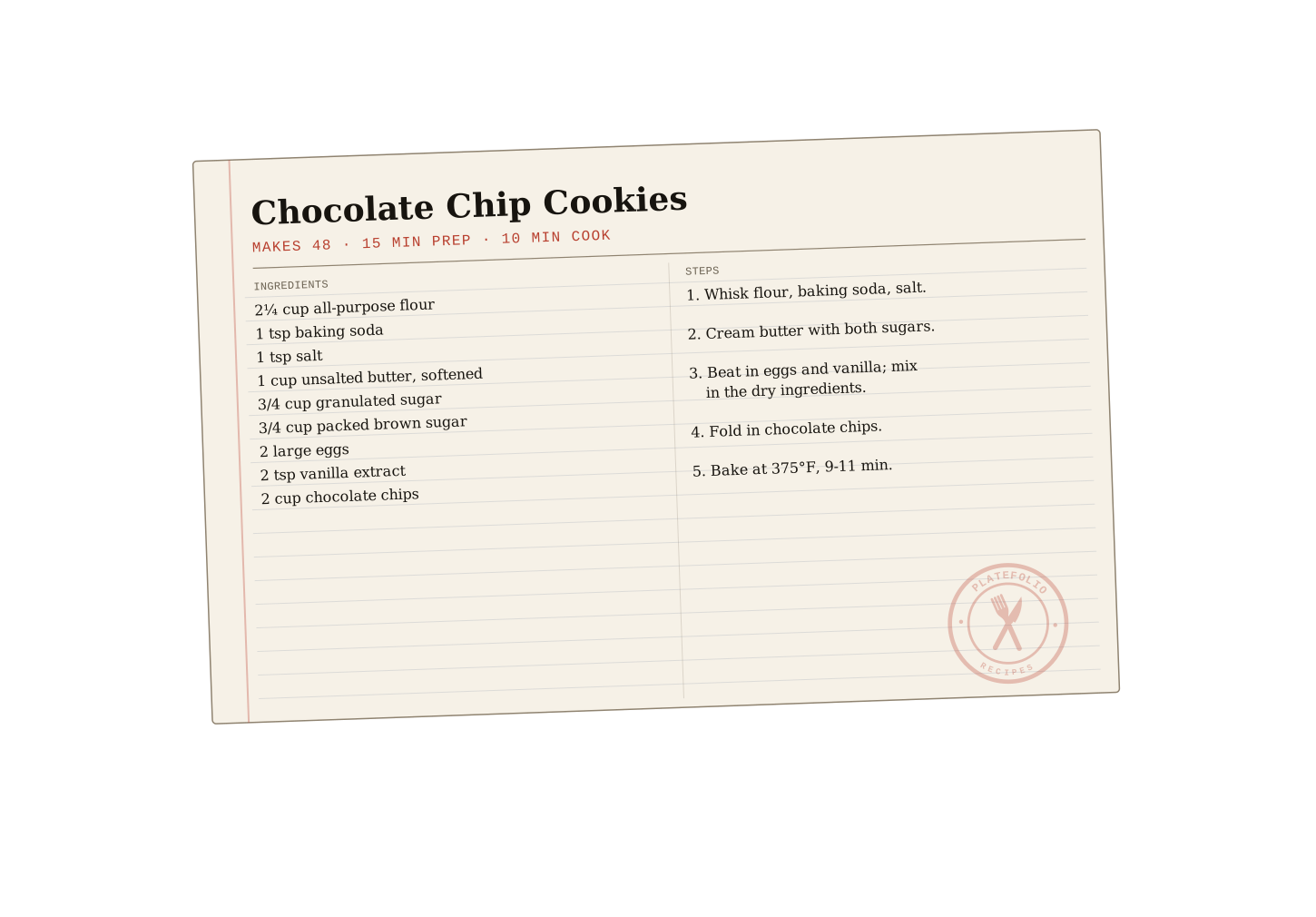
A Platefolio recipe notecard for chocolate chip cookies

What is Platefolio?

Platefolio is an ad-free recipe manager for the recipes you use every day. Add recipes by pasting text, copying a URL, or snapping a photo, then organize them your way: sort into your own categories and cookbooks, rate and favorite them, then filter and search your entire collection. Pick how each recipe is displayed, and change it any time to fit the moment. Share your recipes and cookbooks with your social media followers, or invite up to five other people into a shared household to curate and cook from the same collection.

Every recipe, served your way

Platefolio lets you choose the best way to read each of your recipes. Same recipe, five ways to read it, one tap between them.

Traditional
A familiar recipe layout, clutter and ad free for everyday browsing.
Cook mode
Checkable list of ingredients and steps, one step at a time. Perfect for cooking with a phone or tablet.
Notecard
Nostalgic notecard layout. Can be printed on a 4x6 index card.
Flowchart
A Cooking for Engineers style flowchart. Ingredients are grouped by step and steps flow into each other for a logical flow through the recipe.
Rails
Same logic as a Cooking for Engineers chart, rearranged vertically for a more mobile-friendly layout.

Switch any time, on any recipe. Share one publicly and you can even pin it to Pinterest as a notecard, flowchart, or rails image. See what the pins look like.

Choose a format to preview

Desserts


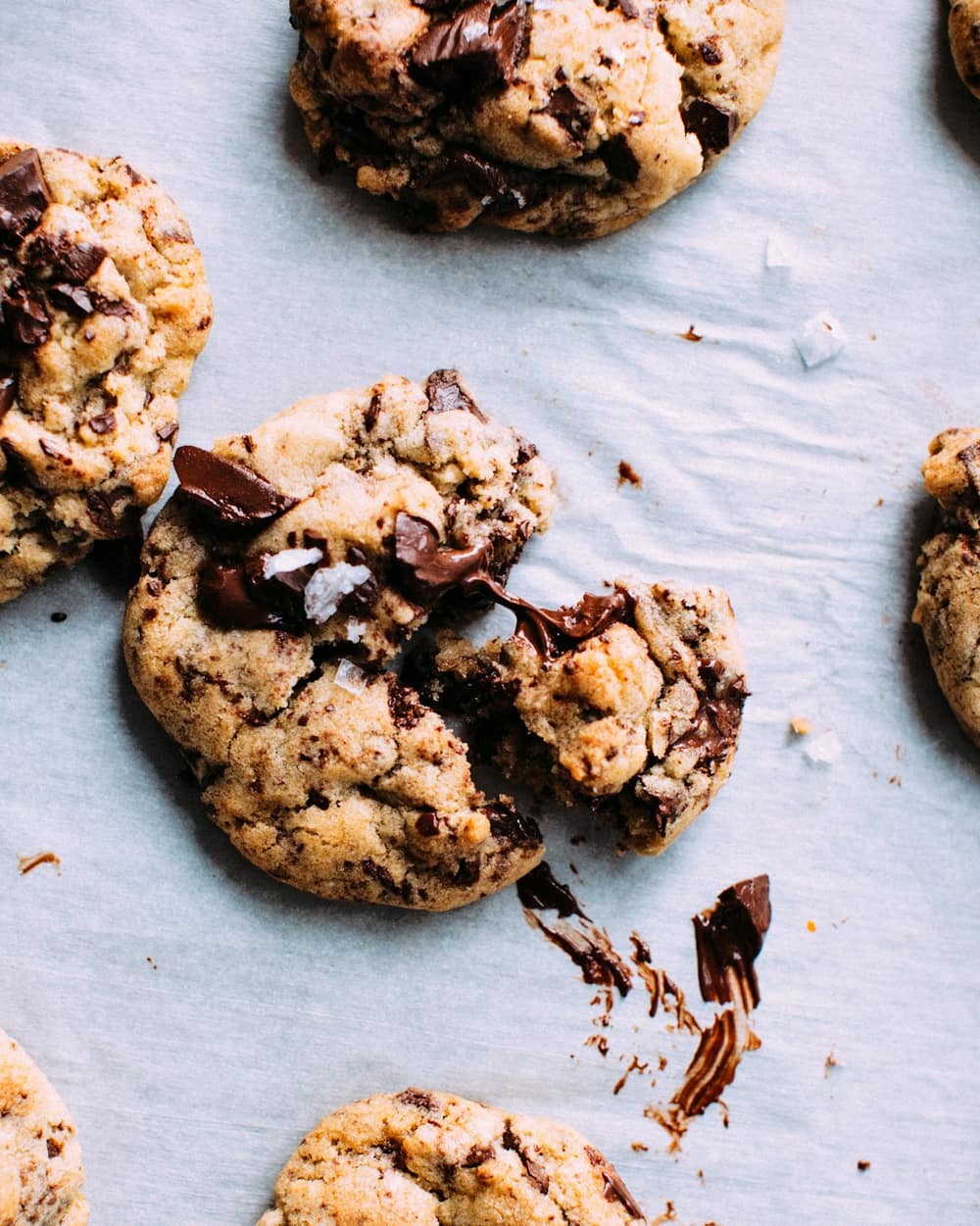
Chocolate Chip Cookies
  • 4 servings
  • 10 min prep
  • 10 min cook
  • Made 3 times

Ingredients

Dry

  • 2¼ cup all-purpose flour
  • 1 teaspoon baking soda
  • 1 teaspoon salt

Wet

  • 1 cup unsalted butter, softened
  • ¾ cup granulated sugar
  • ¾ cup packed brown sugar
  • 2 large eggs
  • 2 teaspoon vanilla extract
  • 2 cup chocolate chips

Steps

  1. Whisk together the flour, baking soda, and salt.
  2. Cream the softened butter with the granulated sugar and brown sugar until light and fluffy.
  3. Beat in the eggs and vanilla until smooth, then gradually mix in the flour, baking soda, and salt until just combined.
  4. Fold in the chocolate chips.
  5. Scoop the dough onto lined baking sheets and bake at 375°F for 9 to 11 minutes, until golden at the edges.
  6. Cool on the sheet a few minutes, then move to a rack.

Filed under Desserts
Chocolate Chip Cookies

4 servings · 10 min prep · 10 min cook · Made 3 times

Ingredients

Dry

Wet

Step 3 of 6

You'll need

  • 2 largeeggs
  • 2 teaspoonvanilla extract
Made 3 times
Chocolate Chip Cookies

Serves 4 · 10 min prep · 10 min cook

Dry

  • 2¼ cup all-purpose flour
  • 1 teaspoon baking soda
  • 1 teaspoon salt

Wet

  • 1 cup unsalted butter, softened
  • ¾ cup granulated sugar
  • ¾ cup packed brown sugar
  • 2 large eggs
  • 2 teaspoon vanilla extract
  • 2 cup chocolate chips
  1. Whisk together the flour, baking soda, and salt.
  2. Cream the softened butter with the granulated sugar and brown sugar until light and fluffy.
  3. Beat in the eggs and vanilla until smooth, then gradually mix in the flour, baking soda, and salt until just combined.
  4. Fold in the chocolate chips.
  5. Scoop the dough onto lined baking sheets and bake at 375°F for 9 to 11 minutes, until golden at the edges.
  6. Cool on the sheet a few minutes, then move to a rack.

Filed under Desserts
Chocolate Chip Cookies

4 servings · 10 min prep · 10 min cook · Made 3 times

Chocolate Chip Cookies as a flowchart: ingredients enter on the left and merge rightward into each step.
2¼ cup all-purpose flour
1 teaspoon baking soda
1 teaspoon salt
1 cup unsalted butter, softened
¾ cup granulated sugar
¾ cup packed brown sugar
2 large eggs
2 teaspoon vanilla extract
2 cup chocolate chips

Steps in full

  1. Whisk together the flour, baking soda, and salt.
  2. Cream the softened butter with the granulated sugar and brown sugar until light and fluffy.
  3. Beat in the eggs and vanilla until smooth, then gradually mix in the flour, baking soda, and salt until just combined.
  4. Fold in the chocolate chips.
  5. Scoop the dough onto lined baking sheets and bake at 375°F for 9 to 11 minutes, until golden at the edges.
  6. Cool on the sheet a few minutes, then move to a rack.
Chocolate Chip Cookies

4 servings · 10 min prep · 10 min cook · Made 3 times

    • 2¼ cup all-purpose flour
    • 1 teaspoon baking soda
    • 1 teaspoon salt
  1. Separately
    • 1 cup unsalted butter, softened
    • ¾ cup granulated sugar
    • ¾ cup packed brown sugar
    • 2 large eggs
    • 2 teaspoon vanilla extract
    • 2 cup chocolate chips

Steps in full

  1. Whisk together the flour, baking soda, and salt.
  2. Cream the softened butter with the granulated sugar and brown sugar until light and fluffy.
  3. Beat in the eggs and vanilla until smooth, then gradually mix in the flour, baking soda, and salt until just combined.
  4. Fold in the chocolate chips.
  5. Scoop the dough onto lined baking sheets and bake at 375°F for 9 to 11 minutes, until golden at the edges.
  6. Cool on the sheet a few minutes, then move to a rack.

Add your recipes from wherever they live

  1. Type it in. Only exists in your head? Add ingredients and steps line-by-line.
  2. Paste a link. Found a great recipe online? Paste the URL, or a Pinterest pin's link, and it's in your collection in seconds, without the pop-ups or the trip to Tuscany.
  3. Paste the text. Got a recipe in an email or a food blog blocked your URL import? Copy and paste the recipe text to add it to your collection.
  4. Ask your AI. Worked out dinner with ChatGPT, Claude or Gemini? One prompt formats the recipe; paste the reply and it's in your collection, not lost in your chat history.
  5. Snap a photo. Favorite recipe on an old notecard or saved in a screenshot? Upload it and let Platefolio do the rest.

You always get the last look. However a recipe arrives, it opens for you to check before it saves, so the worst case is a few seconds of tidying, never a mangled recipe you find halfway through making dinner.

Organize your recipes your way

Create and define your own categories, assign multiple categories to a single recipe, and search your entire collection instantly. Favorite, rate, and filter your recipes to find the ones you want to share or cook right now.

  • Name your categories Weeknights, Bread, Things the kids will eat. Create, rename, and delete your own categories whenever and however you like.
  • Multiple categories per recipe. Your chili recipe is a weeknight dinner and a thing your kids will eat too. It can be both; Platefolio won't make you choose.
  • Rate and favorite. Rate your recipes with a star rating and/or favorite them with a heart to find the ones you love most (or hide the ones you don't).
  • Search and filter. Find any recipe instantly without having to scroll through your entire collection. Start typing a recipe title and everything else gets out of the way. Sort and filter your recipes by various criteria to find exactly what you're looking for.

Make your own cookbooks

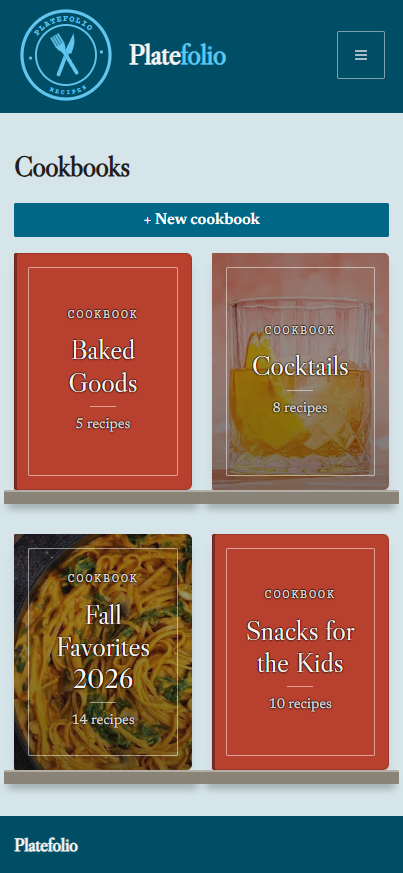
The Thanksgiving menu you rebuild every November. Everything out of your mother's recipe box. The twenty dishes you'd want a kid to leave home with. Give a set of recipes a name, a cover, and an order, and it stops being a pile and starts being a book.

A cookbook can set how its recipes initially open so you can control the look and feel of every cookbook. Any single recipe can still switch to whatever suits you in the moment. The cookbook sets the table; the cook decides.

The Platefolio cookbooks screen, showing four covers: Baked Goods, Cocktails, Fall Favorites 2026, and Snacks for the Kids The Platefolio cookbooks screen, showing four covers: Baked Goods, Cocktails, Fall Favorites 2026, and Snacks for the Kids

A house that cooks together, stays together.

Invite the people you cook with into your Platefolio household. You'll all see and be able to collaborate on the same recipes, same categories, same cookbooks, synced across each household account. See star ratings averaged across household members to get an idea of how popular every recipe is.

Up to six people share one household. If you decide to leave, all your own recipes go with you; everyone else keeps theirs.

Recipe manager FAQ

Is Platefolio free? Are there ads?

Platefolio is free to use, and there are no ads. The free Line Cook plan gives you unlimited recipe storage, unlimited recipes entered by hand, and 25 recipe imports across link, text, AI chat and photo, plus unlimited saves from other members' public recipes, which never counts against that limit. Head Chef, a paid plan at $12 a year, lifts the import limit and adds unlimited photo storage, unlimited cookbooks, and a shared household of up to 5 people.

What's the difference between the Line Cook plan and the Head Chef plan?

Line Cook is the free plan: unlimited recipe storage, every display format, 25 recipe imports for the life of your account, and unlimited saves from other members' public recipes. Head Chef is $12 a year and adds unlimited imports, unlimited photo storage, unlimited cookbooks, and a household of up to 5 people who share one recipe box.

How do I add recipes to Platefolio?

Five ways: paste a recipe's link, paste its text from an email or a note, ask ChatGPT, Claude or Gemini to format one it gave you, snap a photo or screenshot, or type it in by hand. However a recipe arrives, it opens in an editable review so you get the last look before it saves.

Can I organize my recipes into categories and cookbooks?

Yes. Create your own categories, put a single recipe in as many as you like, and search or filter your whole collection. You can also gather recipes into cookbooks with a cover, an order, and chapters.

Will my recipes be sold or used to train AI?

No. Platefolio has no ads, your recipes are never sold, and they are never used as training data. If you ever want everything you have entered back as a plain file, ask and it will be sent to you.

Can I share a recipe, and does the other person need an account?

You can make any recipe or cookbook public and share it with a link. Anyone who opens that link sees the full recipe, with no account and nothing to install, and can save it to their own collection, free and unlimited on every plan, even the free one. Sharing a whole recipe box with the people you cook with is part of Head Chef, a paid plan at $12 a year for up to 5 household members.

Can I share my recipes on Pinterest?

Yes. Make a recipe public, then pin it with its photo, or as a notecard, a Cooking for Engineers-style flowchart, or a vertical rails diagram. Platefolio makes the pin image, Pinterest opens so you can pick a board, and the pin links back to the full recipe on its public page.

Can I save a recipe from Pinterest?

Yes. Paste the pin's link into Platefolio and it follows the pin to the recipe site it links to, then imports the ingredients and steps from that page. You check the recipe before it saves, and you don't need to connect a Pinterest account.

Can I save a recipe from ChatGPT, Claude or Gemini?

Yes. Platefolio gives you a prompt to send in the chat where the assistant wrote the recipe. Paste its reply back and the title, description, ingredients and steps fill in for you to check before it saves. It works with most assistants, not just those three, and Platefolio never connects to your AI account or sees the rest of your chat.

Do I need to install an app? Does it work on my phone?

No install needed. Platefolio runs in any web browser, on your phone, tablet, or computer. Dedicated phone apps are on the roadmap but will be optional.

Build your latefolio

Free to use with unlimited recipe storage.
Upgrade for household sharing & unlimited premium features.