Pin a recipe to Pinterest as a notecard or flowchart
Pin a public recipe to Pinterest with its photo, or as a recipe notecard, Cooking for Engineers-style flowchart or rails diagram image.
Platefolio can make four kinds of pin image from a public recipe:
-
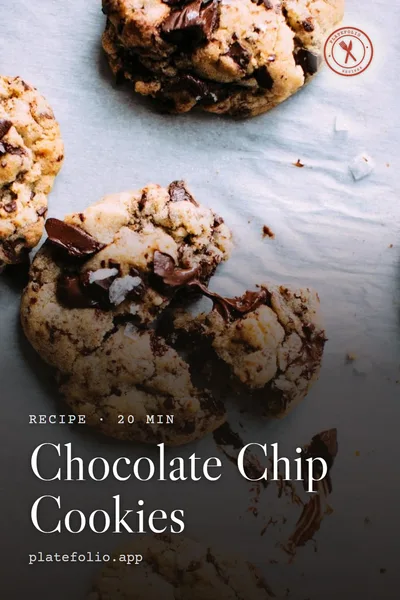 Photo
-
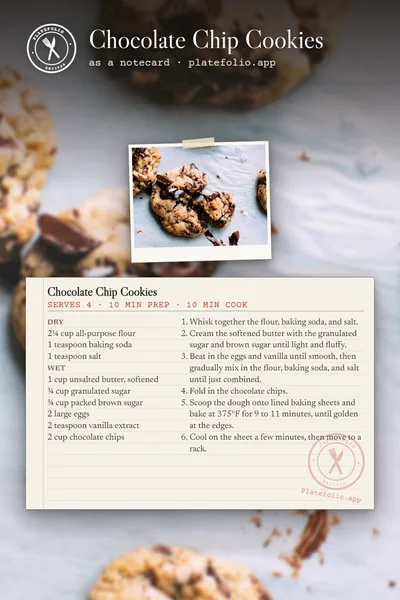 Notecard
-
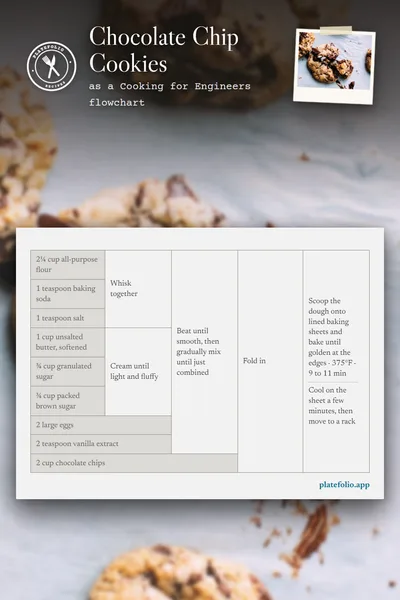 Flowchart
-
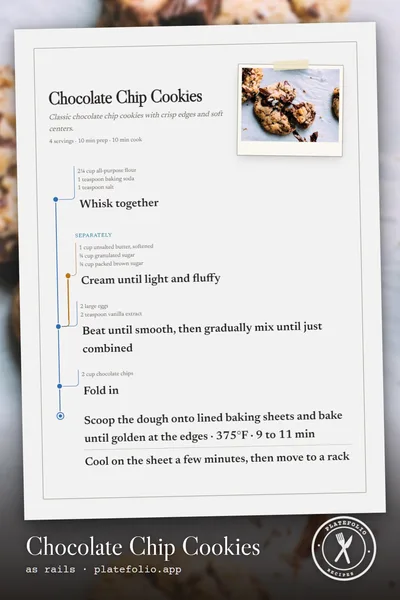 Rails
This is for pinning your recipes out. To save a recipe from a pin, see Save recipes from Pinterest.
A recipe has to be public before you can pin it. See Share a recipe or cookbook.
- Open the recipe, choose More (on a phone, the ⋮ at the end of the row with the heart), then Share.
- Choose how the pin should look:
- Pin with the photo puts the recipe’s title over its photo. It’s listed first when the recipe has a photo big enough to fill the pin.
- Pin as a notecard, Pin as a flowchart or Pin as rails make a tall image of the recipe in that format. You only see the formats the recipe can use. When the recipe has a photo, it sits softly faded behind the format.
- Pin on Pinterest pins the plain photo, when none of the options above fit.
- Pinterest opens in a new tab. Pick a board and save.
If an option says Preparing, its image is still being made. Give it a few seconds. If an option disappears instead, its image couldn’t be made right now. Reload the page in a minute to try again.
The pin links back to the recipe’s public page, so anyone who finds it on Pinterest can read the whole recipe.
Pin a cookbook
A public cookbook can be pinned from its shared page. Open the page, choose the Pinterest button, then how the pin should look:
- Pin as a photo collage sets the cookbook’s title between photos of its recipes. It needs at least four recipes with photos big enough to fill the collage.
- Pin with the cover photo puts the title and the number of recipes over the cover. With no cover, it uses the first recipe photo.
The pin links back to the cookbook’s shared page.
Still stuck? Tell us what happened and we'll help.